iOS App · Support
Bomb DJ Tools
Eight booth-ready calculators for DJs and electronic producers, in one dark glanceable app. Works fully offline. No ads, no accounts, no data collected.

Walkthrough
Every tool in 100 seconds
A screen recording from an iPhone, from launch through each tab: tapping in a tempo and handing it to the session, detecting BPM from the mic, finding compatible keys on the Camelot wheel, reading delay times at 125 BPM, beat-matching two decks on the Pitch tab, and the dB converter and remaining tools under More.
No audio — the app makes no sound of its own. Recorded on iOS 26 with no cuts.
Screens
01
BPM Counter
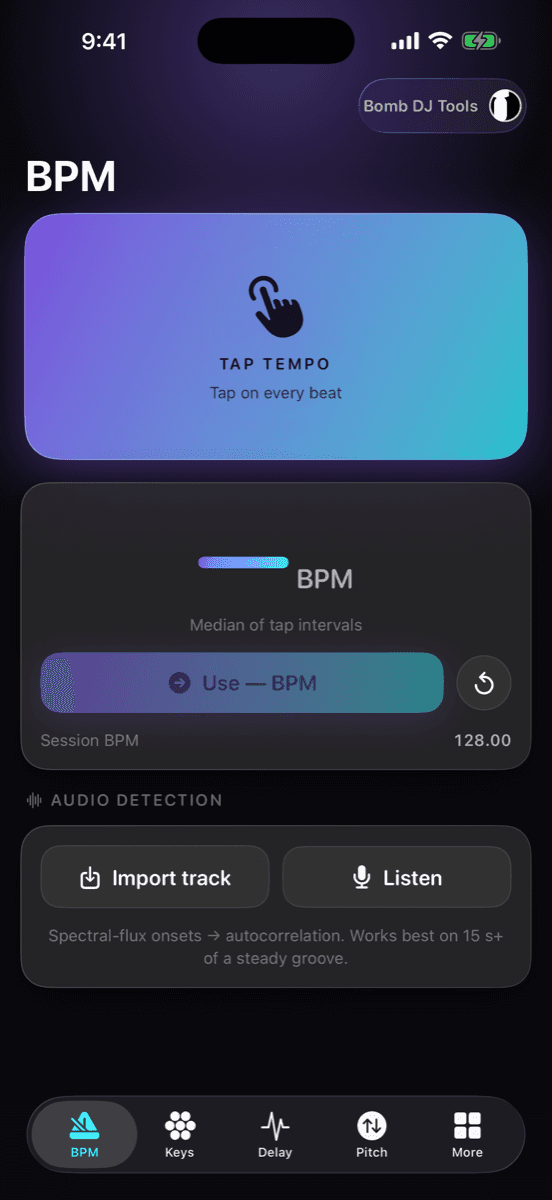
Hit the pad on every beat. The reading is the median of your tap intervals, so one fumbled tap won’t throw it off. The result becomes the session BPM used by every other tool, and Record or Import runs on-device tempo detection with half/double-time alternatives and a confidence score.
02
Key Mixing
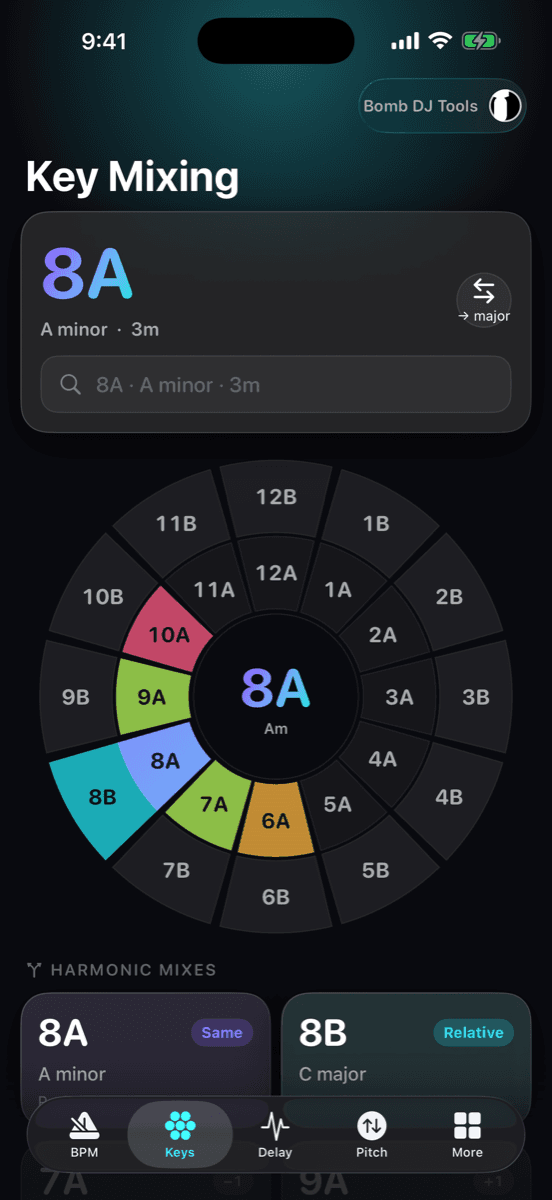
A full Camelot wheel — outer ring major, inner ring minor. Type a key as 8A, A minor or 3m and compatible keys light up by relationship: perfect, relative, smooth ±1 and energy boost/drop. Tap any slice to re-centre; the selection carries into Scales & Chords.
03
Delay Calculator
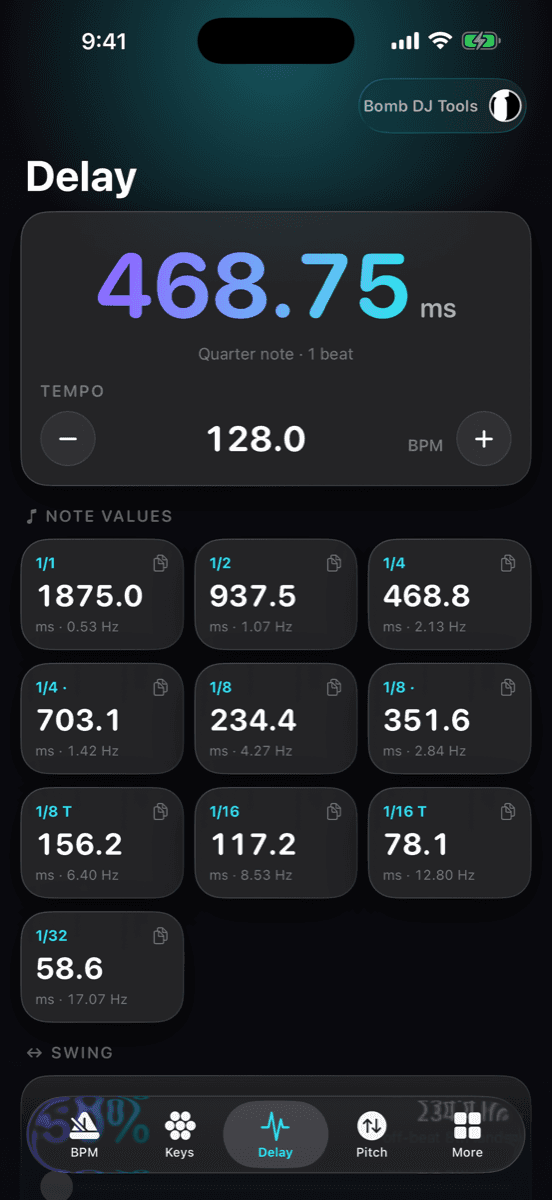
Every note value from whole notes to 1/32, including dotted and triplet, in milliseconds and hertz at the current tempo, plus a swing section. Nudge BPM with the steppers or take it from the session. Built for dialling in delays, reverb pre-delay and LFO rates by the numbers.
04
Pitch ↔ Tempo
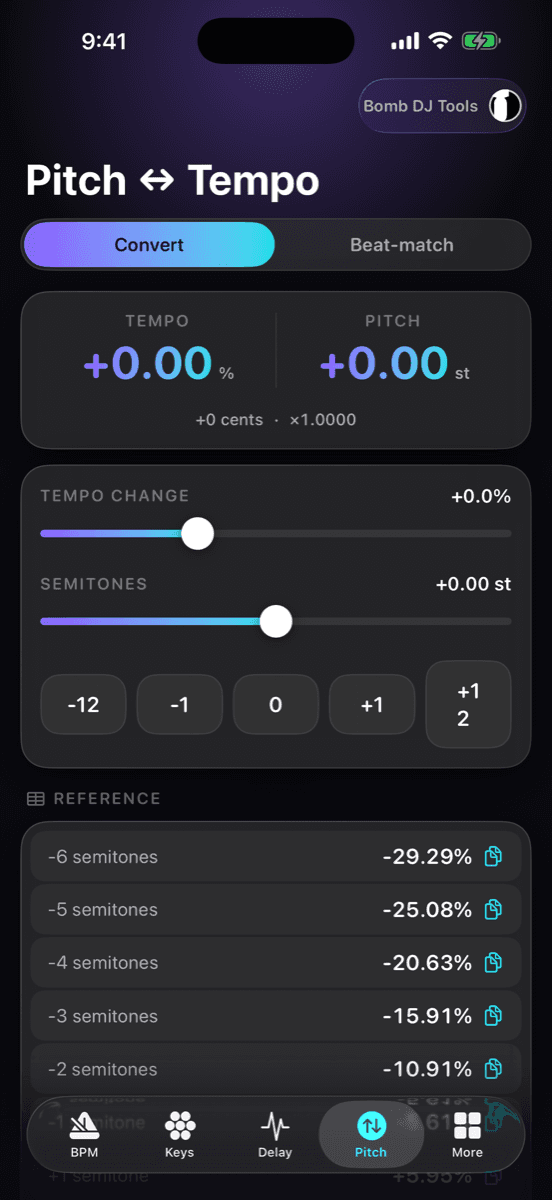
Convert between tempo change, percent, semitones and cents in any direction, with the exact playback ratio. Beat-match mode takes two track tempos and tells you the pitch shift needed to lock them.
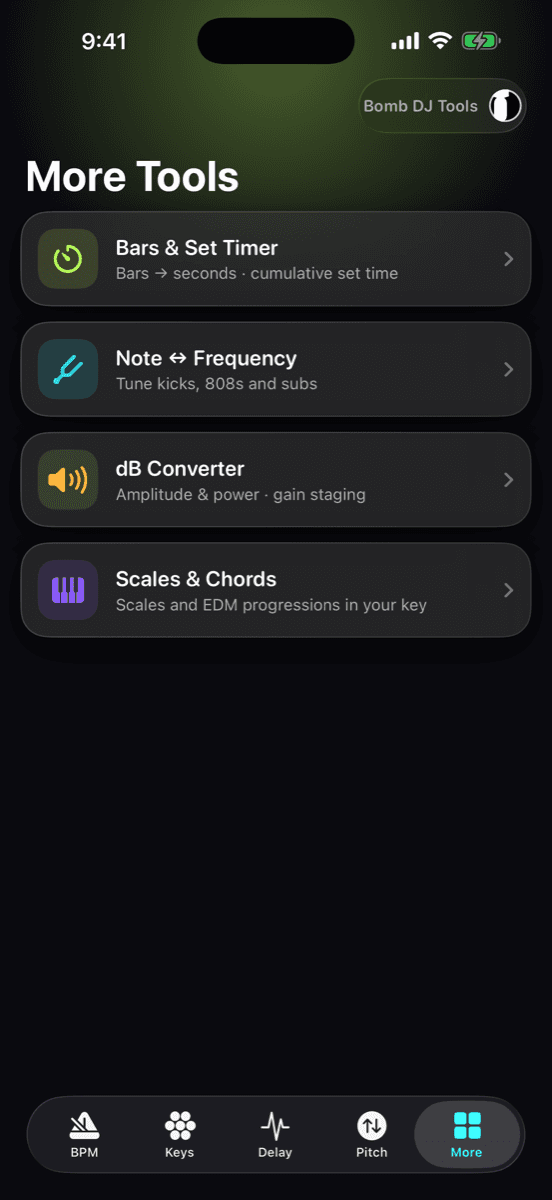
05
More Tools
Bars & Set Timer for set planning, Note ↔ Frequency with cents deviation and adjustable reference pitch, a dB converter for amplitude, power and voltage ratios, and Scales & Chords with EDM progressions in the selected key.
Contact Support
info@illbomb.comInclude your iOS version, device model and what you expected to happen. We aim to reply within two business days.
Tools
- BPM Counter — Haptic tap tempo (median-filtered) and on-device audio tempo detection.
- Key Mixing — Interactive Camelot wheel; Camelot, traditional and OpenKey input; audio key detection.
- Delay Calculator — Tempo-synced delay and pre-delay times in ms and Hz for every note value.
- Pitch ↔ Tempo — Percent, semitones and cents in any direction; beat-match two tracks.
- Bars & Set Timer — Bars to seconds and cumulative set length at any tempo.
- Note ↔ Frequency — Note names to Hz and back with cents deviation.
- dB Converter — Amplitude and power ratios, voltage and gain staging.
- Scales & Chords — Every scale and chord in the selected key.
Legal
→ Privacy PolicyFAQ
Tap tempo feels off by a beat or two.
BPM is the median of your tap intervals, so it needs at least four taps to settle. Keep tapping through a full bar; the reading tightens as it goes. Reset clears the buffer.
Audio detection returned the wrong BPM.
Check the half/double-time alternatives shown beneath the main reading — tempo detectors often lock onto 2× or ½ of the true tempo. Low confidence usually means the excerpt had little transient content; try a section with a clear kick.
Key detection disagrees with my DJ software.
Key detection is statistical. Compare the runner-up key and the chroma bars; tracks with heavy modulation or few tonal elements are inherently ambiguous. The Camelot wheel lets you correct the key with one tap.
Does the app send my audio anywhere?
No. All analysis runs on your device using Apple’s Accelerate framework. Nothing is uploaded and no account is required. See the privacy policy below.
Can I request a feature or report a bug?
Yes — email us with your iOS version, device and steps to reproduce. Screenshots help.